
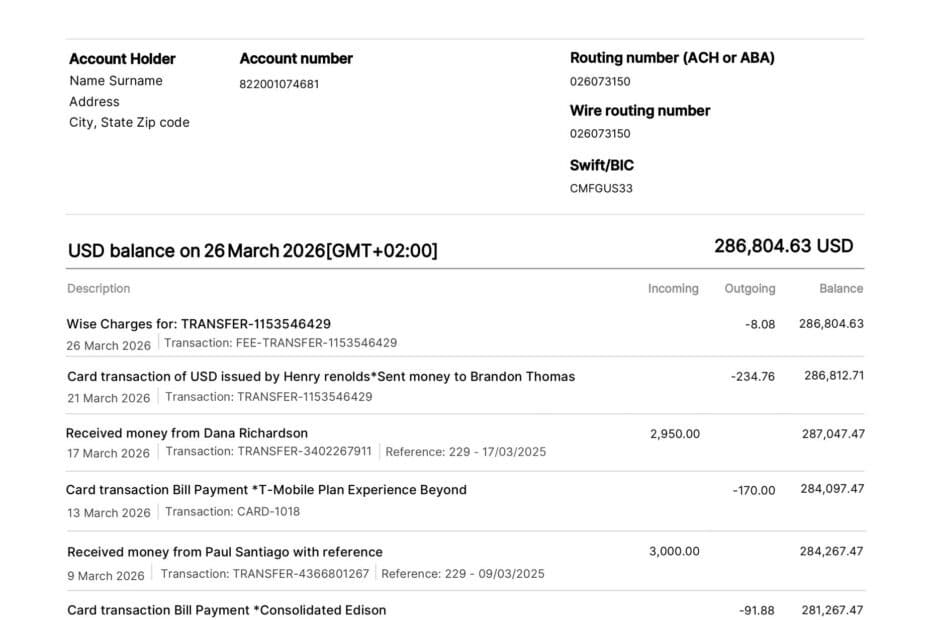
Understanding Bank Statement Templates
When I first started tracking my finances, I was overwhelmed by piles of paper statements and haphazard digital records. Like many people, I struggled to make sense of my spending patterns until I developed a systematic approach using bank statement templates. After helping countless clients organize their finances over the years, I’ve seen firsthand how the right template can transform financial chaos into clarity.
A bank statement template is essentially a personalized financial document that mirrors the structure of official bank statements but serves as your own tracking tool. Unlike official bank statements issued by financial institutions, these templates are documents you create and customize to monitor transactions, track expenses, and maintain visibility of your financial health.
Key Distinction: Bank Statements vs. Bank Statement Templates
- Bank Statement: Official financial document issued by your bank showing actual account activity
- Bank Statement Template: Personal tracking tool you create based on your bank statement data
What is a Bank Statement Template?
A bank statement template is a structured document that organizes your financial information in a format similar to what banks provide, but with the flexibility to customize it for your specific needs. Drawing from my experience helping clients with their finances, I’ve found that the most effective templates mimic the familiar format of official statements while adding personalization options.
Unlike official bank statements, which are formal documents generated by financial institutions that serve as legal records of your transactions, templates are editable tools you create to track your finances. They don’t replace official statements but complement them by giving you a framework for ongoing monitoring.
These templates come in various file formats, each with different advantages:
- Excel/Spreadsheet: Offers powerful calculation features and customization options
- PDF: Provides a clean, professional format that’s easy to save and share
- Word: Allows for text-rich descriptions and formatting flexibility
The format you choose affects how you’ll interact with your financial data. For example, I personally prefer Excel templates because they automatically calculate totals and can generate charts showing spending patterns over time.
Purpose and Benefits of Using Bank Statement Templates
When I started using a structured generated template instead of random notes, my financial awareness improved dramatically. I suddenly spotted a recurring subscription I’d forgotten about and identified spending patterns that were hindering my saving goals.
Bank statement templates transform how you manage your personal finances by:
- Making it easier to spot unusual transactions that might indicate errors or fraud
- Helping identify spending patterns and trends over time
- Simplifying tax preparation through organized financial transaction records
- Creating a backup system for your official bank statements
- Providing a framework for budgeting and financial goal tracking
These benefits extend beyond basic organization. One client used her template to identify enough unnecessary expenses to fund a long-awaited family vacation—proving that good financial tracking translates to real-life rewards.
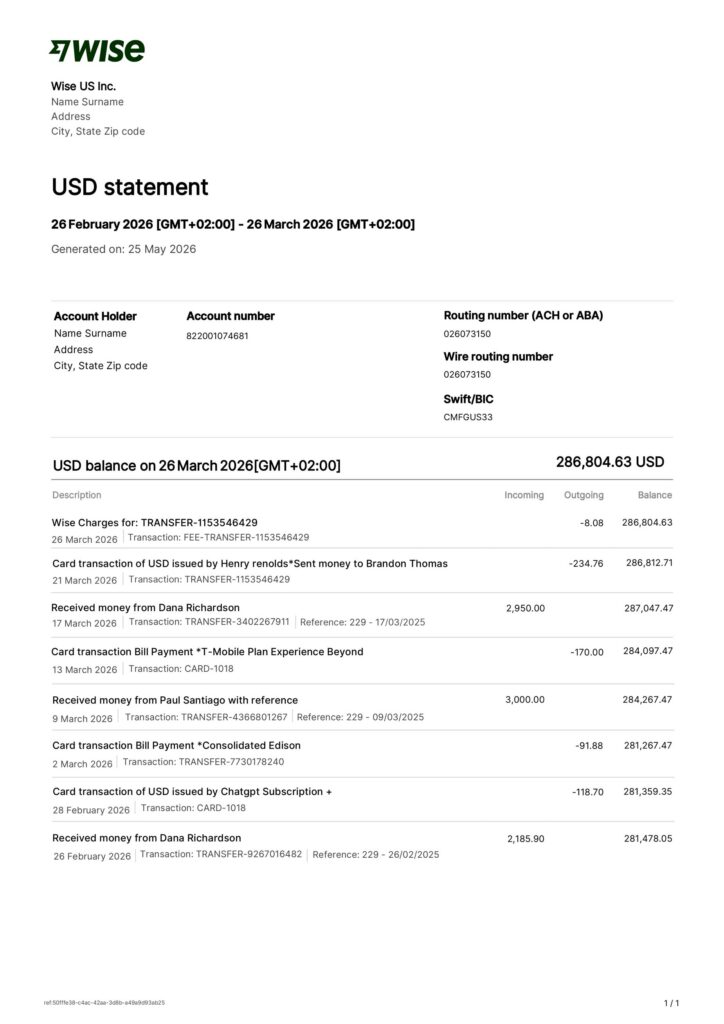
Types of Bank Statement Templates
Through years of helping clients organize their finances, I’ve worked with nearly every type of bank statement template available. The right choice depends on your comfort with technology, sharing needs, and calculation requirements.
Each format offers distinct advantages. Excel and other spreadsheet programs stand out for their calculation power—I’ve personally saved hours using formulas to automatically categorize transactions and track spending patterns. PDF templates provide a clean, professional look that’s perfect when you need to share information with others. Meanwhile, Google Sheets offers the convenience of cloud access from any device, which I’ve found invaluable when working with clients remotely.
Your choice should reflect both your technical comfort and financial management goals. For instance, when I helped a technologically reluctant friend track expenses, we chose a simple PDF template she could print and fill by hand. Conversely, for a small business owner juggling multiple accounts, we created a comprehensive Excel template with cross-sheet calculations and category summaries.
Remember that the best template is one you’ll actually use consistently—fancy features mean nothing if they create barriers to regular updates.
Personal Bank Statement Templates
Personal bank statement templates are designed specifically for individual financial management, tracking transactions across checking, savings, and other deposit accounts. I started with a basic version years ago to track my household spending and gradually refined it to match my exact needs.
These templates typically mirror the structure of your actual bank accounts, with sections for:
- Transaction dates and descriptions
- Deposits and withdrawals
- Running balance calculations
- Category assignments for spending analysis
- Monthly summary sections
The power of personal templates lies in customization. For instance, I added color-coding to my template to quickly identify essential bills versus discretionary spending, making monthly reviews much faster.
One client with multiple deposit accounts created a template that consolidated transactions across all accounts onto one sheet, giving her a complete financial picture that individual bank statements couldn’t provide. This comprehensive view helped her identify and eliminate several redundant banking fees.
Your personal template should reflect your unique financial situation and tracking goals, whether that’s building emergency savings or reducing specific expense categories.
Business Bank Statement Templates
Business bank statement templates require additional sophistication to handle complex financial transactions and support accounting needs. I helped a small bakery owner transform her financial tracking with a custom template that separated business expenses into clear categories aligned with tax deductions.
Effective business templates typically include:
- Detailed transaction categorization that aligns with tax forms
- Cash flow monitoring with projected versus actual comparisons
- Quarterly and annual summary sections
- Vendor and client transaction groupings
- Tax liability calculations
The right template can make a significant difference. For example, the bakery owner’s customized template helped her identify seasonal cash flow patterns, allowing her to build reserves during high-revenue months to cover slower periods. She also discovered that supplies purchased from a particular vendor consistently cost more, prompting a renegotiation that saved thousands annually.
For businesses, these templates aren’t just organizational tools—they’re strategic assets that provide insights into profitability and operational efficiency when bank statements are properly categorized and analyzed.
Features of an Effective Bank Statement Template
Having developed countless bank statement templates for myself and clients over the years, I’ve identified certain features that separate truly useful templates from mediocre ones. The best templates strike a balance between comprehensive financial transaction tracking and user-friendly design.
A well-designed template should capture all necessary data while remaining intuitive enough that you’ll actually maintain it regularly. I’ve seen many people abandon complex spreadsheets that required too much effort to update, ultimately defeating the purpose of financial tracking.
When I revamped my own template last year, I prioritized automated calculation features that minimize manual data entry while maximizing analytical insights. This approach has saved me hours each month while providing deeper financial visibility.
Essential Fields and Categories
Through years of refining templates for different financial situations, I’ve identified these indispensable fields that every effective bank statement template should include:
- Transaction Date: When the financial transaction occurred
- Description/Payee: Who received or sent the money
- Transaction Amount: Separated into debit and credit columns
- Running Balance: Updated balance after each transaction
- Category: Customized groupings that match your spending patterns
- Notes: Space for additional transaction details
- Reconciliation Mark: Checkbox or symbol to verify against official statements
Category organization makes a tremendous difference in template effectiveness. When I helped a freelance designer organize her finances, we created primary categories like “Business Expenses,” “Personal Spending,” and “Savings,” with subcategories underneath. This hierarchy transformed her tax preparation process from a stressful week-long ordeal to a simple afternoon task.
Your bank account structure should inform your template design—for instance, if you maintain separate accounts for different purposes, your template should mirror this separation while still providing consolidated views.
Calculation and Summary Features
The calculation capabilities of spreadsheet-based templates set them apart from simple ledgers. I rely heavily on these automated features in my personal tracking:
Running balances that update automatically use formulas like: =D2+(B3-C3) where D2 is the previous balance, B3 is a deposit, and C3 is a withdrawal. This prevents manual addition errors that once caused me to overdraw an account.
Category summaries that automatically total spending by group help identify budget overruns before they become problems. I use pivot tables in Excel to generate monthly and quarterly spending breakdowns without duplicate data entry.
Conditional formatting highlights important items—negative balances appear in red, while large transactions display in bold, making review sessions more efficient. These automated elements transform data collection into actionable financial insights without requiring accounting expertise.
How to Choose the Right Bank Statement Template
Selecting the appropriate template is crucial for sustainable financial tracking. When helping clients choose templates, I ask these five key questions:
- What’s your primary financial goal? (Expense reduction, tax preparation, debt management)
- How comfortable are you with spreadsheet programs?
- Will you need to share this information with others?
- How many accounts and transactions will you track monthly?
- Do you prefer mobile access or desktop management?
Your answers determine whether a simple PDF template or complex Excel spreadsheet will better serve your personal finance needs. For instance, I helped an elderly client who struggled with technology find a printable template she could comfortably update by hand, while a tech-savvy business owner benefited from a cloud-based solution with automated imports.
Remember that consistency trumps complexity—the template you’ll actually use regularly is infinitely more valuable than a sophisticated one that becomes overwhelming.
Free Bank Statement Templates
Over the years, I’ve collected and customized numerous templates for various financial situations. Here are my personally tested recommendations:
- Basic Personal Tracking: Microsoft Excel offers a free “Personal Financial Statement” template that I’ve modified by adding category dropdown menus for easier sorting.
- Small Business: Google Sheets has a customizable “Business Financial Statement” template that I recommend to clients who need collaborative access.
- PDF Option: Several financial planning websites offer fillable PDF templates that work well for those who prefer not to use spreadsheets.
I personally use a modified version of the Excel Monthly Budget template, which I’ve enhanced with additional transaction fields and customized category groupings. For clients with limited Excel experience, I often recommend PDF templates that sacrifice some calculation power but offer straightforward usability.
When choosing a free template, prioritize formats compatible with your existing software to avoid conversion headaches.
Bank Statement Template FAQs
- What is a bank statement template?A bank statement template is a customizable document you create to track and organize your financial transactions. Unlike official bank statements, these templates let you personalize categories, add notes, and monitor spending patterns in a format that works for your specific needs.
- What information should be included in a bank statement template?Essential information includes transaction dates, descriptions/payees, amounts (debits and credits), running balances, and custom categories. I also recommend including reconciliation checkmarks and notes fields for additional context about each transaction.
- How do I create a bank statement template?Start with a spreadsheet program like Excel or Google Sheets. Set up columns for date, description, amount, balance, and categories. Add formulas for automatic calculations like running balances and category totals. Customize with your personal account information and spending categories.
- What are the benefits of using a bank statement template?Templates help you spot spending patterns, catch banking errors, prepare for taxes, track progress toward financial goals, and maintain organized financial records. I’ve found they dramatically improve financial awareness and help identify savings opportunities that official statements might obscure.
- Is it legal to use a bank statement template?Yes, it’s completely legal to create and use your own bank statement templates for personal financial tracking. However, creating false statements to misrepresent your finances to others would be fraudulent. These templates are for your personal financial management, not official representation.
- How do I customize a bank statement template for business use?Add business-specific categories aligned with tax deductions, create separate sections for different revenue streams, incorporate cash flow projections, and add fields for tax liability calculations. I recommend also including vendor-specific tracking to identify potential savings opportunities.
- What’s the difference between a bank statement template and an official bank statement?Official bank statements are legal documents issued by financial institutions showing actual account activity. Templates are personal tools you create based on those statements to track finances, add categories, and analyze spending—they have no legal status and are for personal use only.
- How do I fill out a bank statement template?Enter transactions regularly from your official statements, online banking, or receipts. Be consistent with category assignments, update at least weekly, and reconcile against official statements monthly. I find setting a specific “finance day” each week helps maintain consistency.
- Can I use a bank statement template for personal finance tracking?Absolutely! Personal finance tracking is the primary purpose of these templates. They help organize transactions, categorize spending, identify patterns, and maintain clear records. I’ve used mine to successfully track spending, budget more effectively, and save for specific goals.
- What are the key features of a bank statement template?Look for running balance calculations, customizable categories, transaction sorting, monthly summaries, and easy reconciliation features. The best templates balance comprehensive tracking with usability—I recommend choosing one with automated calculations but not so complex that updates become burdensome.