
Understanding Bank Statements and Their Purpose
Bank statements serve as essential financial documents that provide a comprehensive record of all transactions occurring within a specific bank account over a defined period. These statements, generated by financial institutions, offer account holders visibility into their financial activity, including deposits, withdrawals, transfers, and fees.
Every bank statement contains critical information that helps account holders track their finances: account details, transaction history, beginning and ending balances, and the statement period. Financial institutions produce these documents monthly, quarterly, or upon request, delivering them through various channels including online banking portals, mobile apps, or traditional mail.
Most modern financial institutions provide bank statements in digital formats, typically as PDF documents for permanent records or Excel spreadsheets for those who want to analyze their transaction data. These formats offer different advantages—PDFs maintain formatting and security while Excel allows for sorting, filtering, and performing calculations on transaction data.
Bank statements serve multiple purposes beyond simple record-keeping. They help verify income for loan applications, serve as proof of payment in disputes, assist with tax preparation, and enable budget tracking. For businesses, these documents are particularly valuable for reconciling accounts and maintaining accurate financial records.
What Makes an Official vs. Unofficial Bank Statement
Official bank statements come directly from financial institutions through secure channels and contain specific verification elements—bank letterhead, account numbers, routing numbers, and often digital security features. These statements carry legal weight and are accepted by most organizations requiring financial documentation.
Self-created statements or unofficial statements, while containing similar information, lack the authority of institution-issued documents. They may accurately reflect your account data but won’t include the verification elements that make official statements trustworthy to third parties.
The distinction matters especially in contexts where financial verification is required. Most lending institutions, government agencies, and property managers specifically request official bank statements issued directly by financial institutions, as these comply with regulatory and legal frameworks governing financial documentation.
| Official Statements | Self-Created Statements |
|---|---|
| Issued by financial institution | Created by account holder |
| Contains verification elements | Lacks official verification |
| Widely accepted for verification | Limited acceptance |
| Includes security features | Basic formatting only |
Key Features of a Bank Statement Template
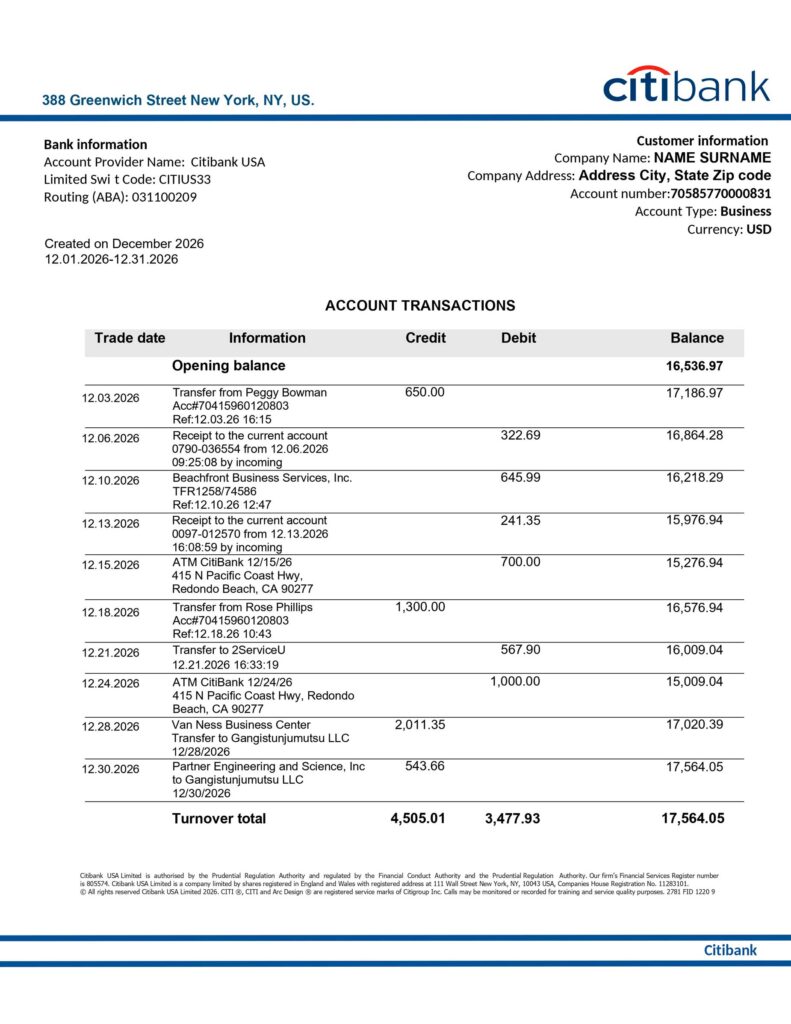
An effective bank statement template must include several essential components to accurately represent financial account activity. The account holder information appears prominently, featuring the full name, address, and contact details. Account identifiers, including account number (usually partially masked for security) and the type of account, should be clearly visible.
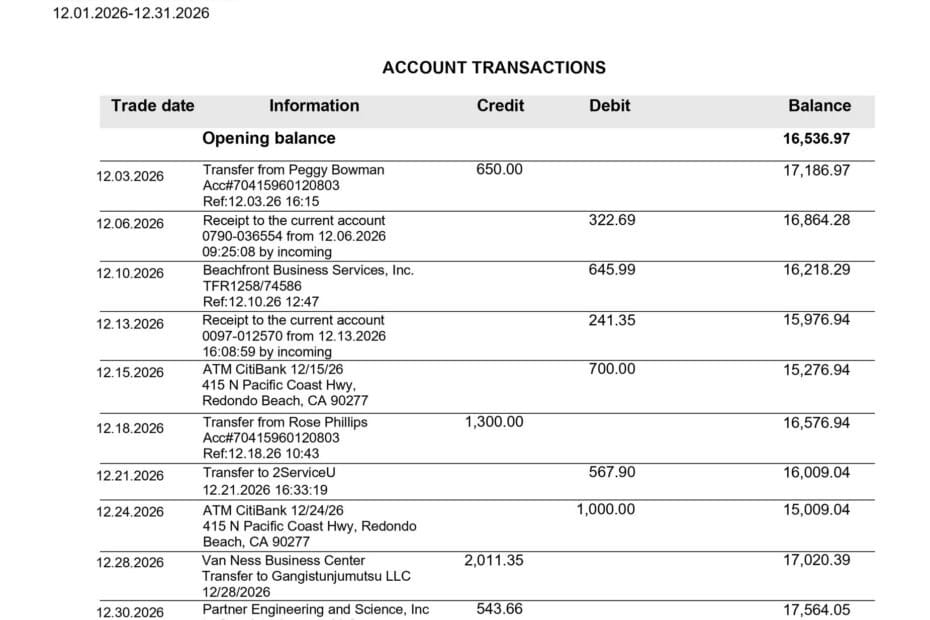
The statement period—typically a calendar month—must be specifically defined with start and end dates. The transaction section forms the core of any bank statement, listing each financial transaction with date, description, amount, and running balance. This chronological record shows exactly how each transaction affected the account balance.
Beginning and ending balances serve as bookends for the statement period, allowing for quick verification that all transactions are accounted for. Additional features often include transaction summaries, categorization of expenses, and fee explanations.
- Account holder information: Full name, address, contact details
- Account identifiers: Account number, account type
- Statement period: Clear start and end dates
- Transaction details: Date, description, amount, and running balance
- Beginning and ending balances: Opening and closing amounts
- Transaction summaries: Categorized expenses, deposit totals
Legitimate Reasons to Create Your Own Bank Statements
Creating your own bank statements can serve several legitimate purposes when done responsibly and within appropriate ethical and legal boundaries. The key distinction lies in the intent—these self-created documents should accurately reflect your actual financial transactions and never be presented as official bank-issued statements when they’re not.
Self-created bank statements should always maintain factual accuracy, using real transaction data from your actual bank accounts. The ethical framework around creating these documents hinges on truthfulness—the information must reflect reality rather than fabricated or altered financial scenarios.
It’s worth emphasizing that creating misleading financial documents for deceptive purposes violates legal standards in most jurisdictions and can result in serious consequences. The legitimacy of self-created bank statements depends entirely on using them for personal reference, education, or analysis—never for misrepresentation.
Personal Financial Management and Planning
Creating customized bank statements can significantly enhance personal financial management by allowing you to organize transaction data in ways that standard bank formats don’t support. By building your own statement templates, you can categorize spending more precisely, highlight specific transaction types, or combine data from multiple accounts for a comprehensive financial view.
These personalized statements prove especially valuable for budgeting, as they can show spending patterns more clearly than standard bank formats. I’ve personally found that transferring transaction data to custom templates helps identify areas where expenses regularly exceed budgeted amounts.
Many people maintain personal financial dashboards that pull transaction data from various accounts into unified views. Creating custom statement formats enables better tracking of financial goals by focusing on specific metrics—like savings rate, debt reduction progress, or discretionary spending—that might get lost in standard bank statements.
Educational and Training Purposes
In educational settings, creating sample bank statements serves as an effective teaching tool for financial literacy. Instructors can design realistic examples that demonstrate banking concepts without using sensitive personal information. These educational templates help students learn to interpret financial documents they’ll encounter throughout their lives.
Financial training programs often use mock bank statements to teach budgeting skills, account reconciliation, and transaction analysis. These created statements allow for specifically designed scenarios that highlight particular learning objectives—something not possible with random real-world examples.
When developing educational bank statements, it’s essential to clearly mark them as samples or teaching tools to maintain ethical standards. Well-designed educational templates can accurately represent how financial transactions appear on real statements while avoiding any potential for misuse or misunderstanding.
Tools and Methods for Creating Bank Statements
Several approaches exist for creating bank statements, ranging from simple spreadsheet templates to specialized bank statement generators. The best method depends on your specific needs, technical skills, and how you plan to use the resulting documents.
For comparison, official bank statements from financial institutions are typically accessed through online banking portals, where they can be viewed and downloaded in PDF format. These provide the baseline standard against which self-created statements are measured in terms of appearance and information architecture.
Spreadsheet applications like Microsoft Excel and Google Sheets offer flexible frameworks for creating customizable statement templates. Their table structures naturally accommodate transaction data, while formatting options allow for professional presentation. The learning curve varies depending on your spreadsheet experience, but basic templates can be created with minimal technical skills.
Specialized bank statement generators provide purpose-built tools with pre-designed templates that mirror official bank formats. These typically offer more streamlined experiences than starting from scratch in a spreadsheet, though they may come with subscription costs or usage limitations.
Online Bank Statement Generators
Online bank statement generators offer specialized tools designed specifically for creating professional-looking financial documents. These platforms typically provide ready-made templates that closely resemble those used by actual financial institutions, saving significant time compared to building formats from scratch.
The best generators include extensive customization options for adding financial institution branding, account information, and transaction details. They typically allow export in multiple formats, with PDF being standard for final documents and Excel formats available for further data manipulation.
When evaluating these tools, consider factors beyond just aesthetics—look at data import capabilities, security practices, and whether they retain your financial information. Many services offer free basic templates with premium features available through subscription models.
| Generator Feature | Importance |
|---|---|
| Template variety | High – diverse options for different purposes |
| Customization depth | High – ability to match specific formats |
| Export formats | Medium – PDF and Excel typically sufficient |
| Data import | Medium – saves manual data entry |
| Data security | Critical – must protect financial information |
Templates and Customization Options
Whether using spreadsheets or specialized generators, effective bank statement templates share common structural elements that can be customized for different purposes. The header typically contains institution information, account details, and statement period, while the body focuses on transaction records organized chronologically.
Excel and Google Sheets offer advantages for those comfortable with spreadsheet functions. Starting with basic tables, you can add formulas to automatically calculate running balances, categorize transactions, and create summary sections. These platforms excel at data manipulation but require more manual formatting to achieve a professional appearance.
Bank statement generators provide more polished templates out of the box, with options to customize headers, logos, color schemes, and fonts. The best generators balance professional appearance with customization flexibility, allowing you to maintain a consistent look while adapting the content to your specific needs.
Regardless of the tool chosen, effective templates maintain a clean, organized layout that prioritizes readability. Transaction sections should include clear column headers, consistent date formatting, and adequate spacing between entries to prevent visual clutter.
Converting Bank Statements to Different Formats
Converting between formats is often necessary when working with bank statements. PDF formats excel at preserving formatting and are ideal for sharing or archiving statements, while Excel formats allow for data analysis and manipulation.
To convert official bank statements from PDF to Excel for analysis, specialized PDF converter tools or online services can extract tabular data. The quality varies significantly between tools, so verify the extracted data against the original PDF to ensure accuracy.
When importing bank statement data into accounting software like QuickBooks or Xero, you’ll typically need CSV or specific Excel formats. Most modern accounting platforms offer direct bank connections that eliminate the need for manual conversion, though they may require initial setup with your financial institution.
Frequently Asked Questions
- What is the purpose of creating a bank statement?
Creating bank statements helps with personal financial management, budgeting, record-keeping, and educational purposes. Self-created statements can organize transaction data from multiple accounts or highlight specific financial patterns that standard bank formats don’t emphasize. - How do I create a bank statement for personal record-keeping?
Start by exporting transaction data from your online banking portal. Use spreadsheet software like Excel or a specialized bank statement generator to format this data with appropriate headers, transaction details, and running balances. Ensure all information accurately reflects your actual financial transactions. - Is it legal to create my own bank statement?
Creating bank statements for personal use, education, or financial planning is legal when they accurately represent your actual financial data. However, presenting self-created statements as official bank documents or creating false information for deceptive purposes violates legal and ethical standards. - What information must be included in a properly created bank statement?
Essential components include account holder information, account number, statement period dates, transaction history (dates, descriptions, amounts), beginning and ending balances. For accuracy, each transaction should affect the running balance appropriately. - What are the best online tools for creating bank statements?
Several online bank statement generators offer professional templates and customization options. The best tools provide diverse template libraries, allow data importing, export to multiple formats, and maintain strong security practices. Consider both free options and subscription services based on your needs. - Can I create a bank statement template in Microsoft Excel or Google Sheets?
Yes, spreadsheet applications work well for creating bank statement templates. Start with column headers for date, description, amount, and running balance. Add formulas to automatically calculate balances and create summary sections. Format headers and transaction rows for clarity and professionalism. - How can I ensure my self-created bank statements are accurate?
Always use actual transaction data exported directly from your financial institution. Double-check that beginning and ending balances match your official records. Verify that all transactions are included and that running balances correctly reflect each transaction’s impact on your account. - What are the differences between official and self-created bank statements?
Official statements come directly from financial institutions, include security features and verification elements, and are widely accepted for official purposes. Self-created statements lack these verification elements and institutional authority, limiting their acceptance for official verification purposes. - How do I create a bank statement that will be acceptable for loan applications?
For loan applications, you generally cannot use self-created statements. Lenders require official statements directly from financial institutions. Instead of creating statements, request official documents from your bank, which typically provide digital versions through online banking or physical copies upon request. - What security measures should I take when creating digital bank statements?
Protect your financial information by using secure, password-protected devices. Don’t use public computers or networks when handling financial data. Store completed statements in encrypted files or folders. Consider removing complete account numbers and other sensitive details when sharing for non-verification purposes.